
Reviewing a website is easy. Organising what to do next is not.
Most website reviews end as a scattered list of observations: a note here, a screenshot there, a few things remembered in a meeting. Nothing is weighted, nothing is owned, and nothing says which fix matters most. Two weeks later the same issues are still open and no one can say whether the site improved.
This workbook closes that gap. It turns a review into a scored, prioritised action plan you can hand to a client or work through yourself.
Everything in the package
- Website audit workbook for Microsoft Excel
- Importable .xlsx file for Google Sheets
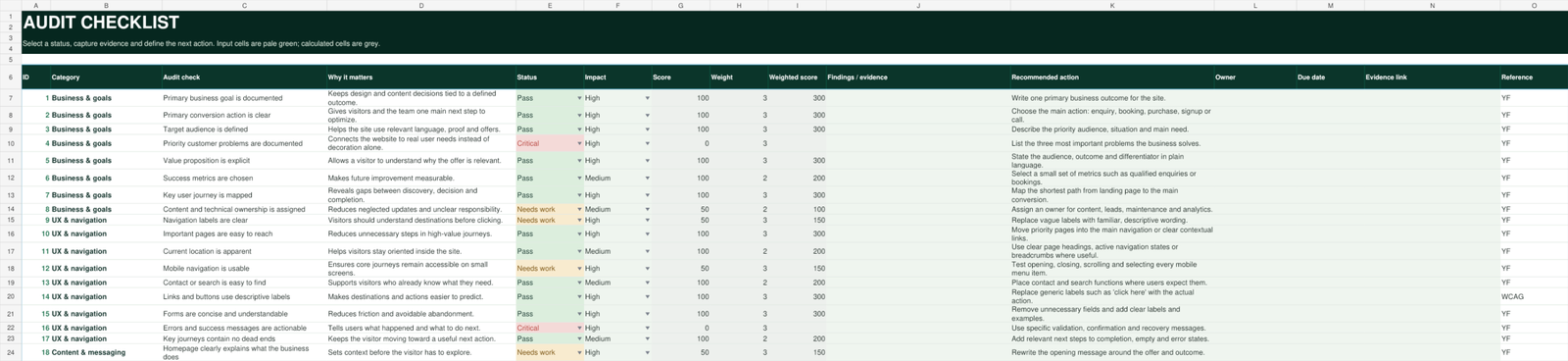
- 60 structured audit checks across seven categories
- Weighted overall and category scoring
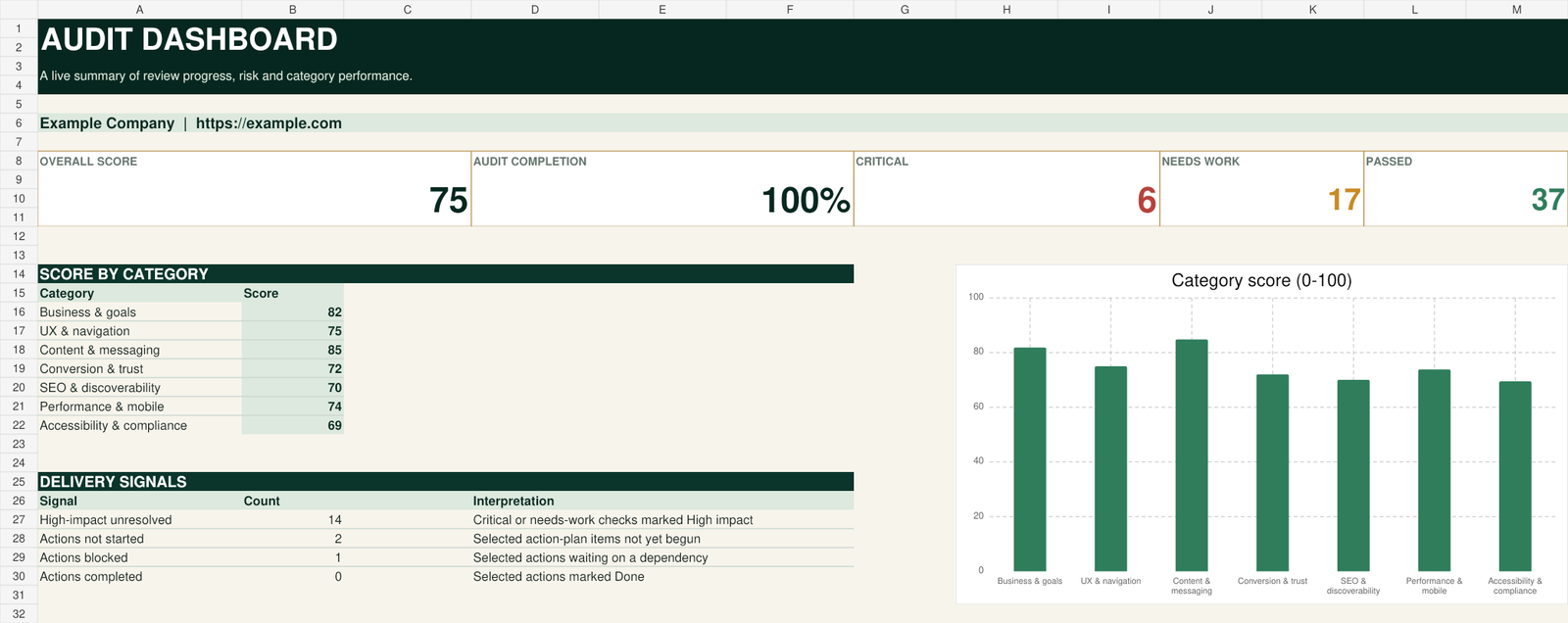
- Progress, risk and issue-count dashboard
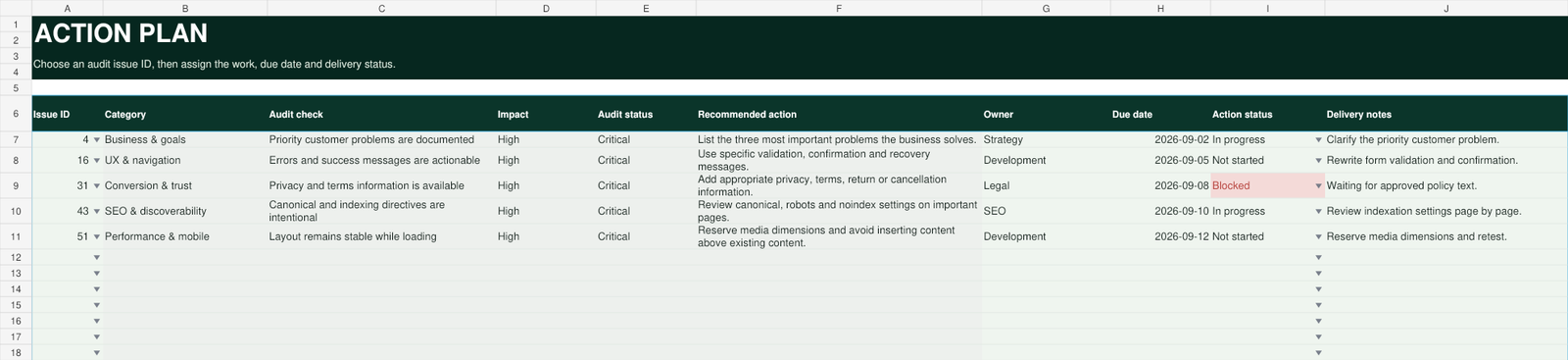
- Linked action plan with ownership, due dates and delivery status
- Editable scoring and status settings
- Quick-start PDF guide
- Standard digital product licence
What the dashboard does
Weighted scoring
Overall and per-category scores calculated from your entries, with the weighting visible and editable rather than hidden in the formulas.
Seven audit categories
Business and goals, user experience and navigation, content and messaging, conversion and trust, SEO and discoverability, performance and mobile, accessibility and compliance.
Live category dashboard
Progress, risk and issue counts update as you complete the checklist, so the current state of the audit is always visible.
Linked action plan
Findings carry through to a delivery tracker with ownership, due dates and status, so a review becomes a plan of work.
Editable settings
Scoring bands and status labels are yours to change. Adapt the framework to how you actually run projects.
60 structured checks
A repeatable checklist, so the second audit is as thorough as the first and two people reviewing the same site reach comparable results.
Who it is for
Built for
- Freelancers and web designers reviewing client sites
- Small agencies who need a consistent audit across a team
- Consultants presenting findings to a client
- Business owners reviewing their own website
Who it is not for
Not the right fit if
- You need a legal, privacy or regulatory compliance certificate
- You are looking for an automated crawler or scanning tool
- You want guaranteed search rankings
- You need a plugin that changes your website directly
The workbook is a practical prioritisation framework. It does not provide legal, privacy, security, accessibility, search-ranking or regulatory certification.
Excel and Google Sheets
The workbook is built for Microsoft Excel. The .xlsx file can also be imported into Google Sheets. After converting, check formulas, dropdown lists and conditional formatting, since Google Sheets does not always carry every Excel feature across identically.
Inside the workbook
Four steps
-
Download and duplicate
Buy once and keep the ZIP as your master package. Duplicate the .xlsx before each new audit so the original stays clean.
-
Complete project setup
Fill in the project details and adjust the scoring weights and status labels if your process differs from the defaults.
-
Work the checklist
Move through the 60 checks across the seven categories. The dashboard scores and issue counts update as you go.
-
Deliver the action plan
Assign owners and due dates in the linked action plan, then track each item to completion.
Frequently asked
Do I need Microsoft Excel?
Can I use this for client work?
Can I resell it or share the file?
Is this an automated scan of my website?
Does it guarantee better search rankings?
How do I receive the files?
Can I customise it?
What you are buying
A single-business licence to use the workbook inside your own business and in client delivery, with the full terms included as a text file in the package. You may customise it for your workflow; you may not resell, redistribute or publish the source files.
This is version 1.0, dated 23 August 2026. The download link in your account remains available for re-downloading your purchased version. Support is by email at hello@yazforge.com.